
Add a watermark to a PDF on your phone
To add a watermark to a PDF on Android, open the file in Kyneto PDF, tap All tools and choose Watermark. Type the text or pick an image, set the opacity, rotation and position, choose whether it goes on every page or a range, then apply. The preview updates as you change the settings and the whole thing runs on the phone.
A watermark is a cheap, honest signal. It will not stop anyone determined, and that is not what it is for. It stops the draft being mistaken for the final version, and the sample being passed off as the paid-for copy.
Stamp the document
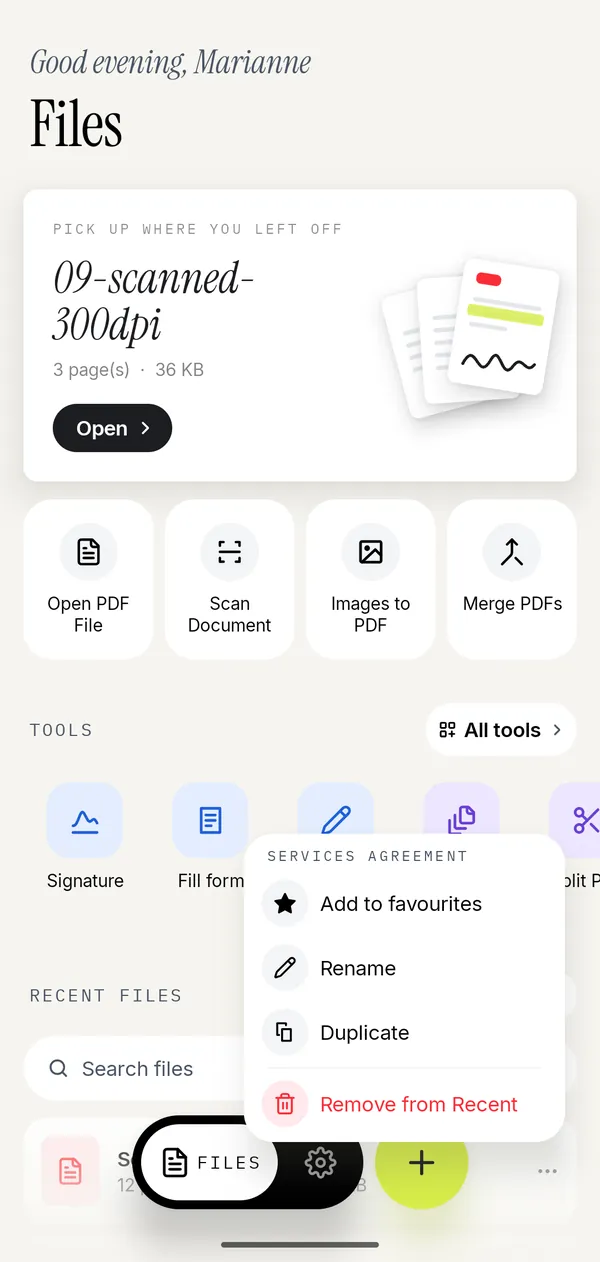
- Open the PDF and tap All tools, then Watermark under Protect.
- Choose Text and type the word, or Image and pick a logo or a stamp.
- Set the opacity. Low enough to read the page through it, high enough to be unmissable.
- Set the rotation. 45° diagonal is the familiar look; horizontal reads better on a dense page.
- Choose the position, or turn on Tile across the page to repeat it.
- Choose the layer: Above content sits on top of the text, Below content sits behind it.
- Choose All pages or a page range, then apply.
Three presets are built in because they cover most of the demand: DRAFT, CONFIDENTIAL and COPY.
Above or below the content
This is the setting people get wrong, and it changes how the document reads.
Below content puts the watermark behind the text, like paper with a faint pattern printed on it. The document stays comfortable to read. Use it for CONFIDENTIAL on a report somebody actually has to read.
Above content puts it on top, slightly obscuring whatever it crosses. Use it when the point is that this copy should not be used: a DRAFT contract, a SPECIMEN invoice, a preview of something that has not been paid for.
Opacity interacts with both. Above content at 80% is a blunt instrument. Above content at 25% is a watermark.
A watermark is not protection
Worth being clear, because product pages are often vague about it. A watermark is drawn onto the page. It makes the document visibly marked. It does not:
- Stop anyone copying the text.
- Stop anyone printing it.
- Survive a determined person with an editor.
- Hide anything. If a name or an account number should not be readable, that is redaction, which removes the text rather than covering it.
If the goal is that the file does not open without a password, that is encryption, and Kyneto PDF removes passwords rather than adding them.
Page numbers, the other stamp
Page Numbers lives next to Watermark in the Pages group and works the same way: pick the position, the format, the first number, the font size and the margin, then choose which pages get numbered.
Two cases where it earns its place:
- A merged document. Combine three PDFs and the numbering restarts three times, or does not exist. Numbering the merged file afterwards fixes it. See merging PDFs on your phone.
- A document whose front matter should not count. Set the first number so that page 3 is numbered 1, and leave the cover and contents unnumbered by setting the page range.
The preview shows the number on the page before you apply it, which is the only reliable way to tell whether the margin is right.
Questions people ask
How do I add a watermark to a PDF on Android?
Open the PDF in Kyneto PDF, go to All tools → Watermark, type the text or pick an image, set the opacity and angle, choose the pages, and apply.
Can I use my logo as a watermark?
Yes. Choose Image instead of Text and pick the file. Opacity, rotation, position and tiling work the same way.
How do I watermark only some pages?
Under Pages, choose Page range and set the first and last page. Everything outside the range is left untouched.
Can I remove a watermark from a PDF?
Not from a file that already has one applied. Export a fresh copy from the original instead, which is why keeping the unwatermarked original matters.
Does a watermark stop people copying my PDF?
No. It marks the document visibly. It does not restrict copying, printing or editing.
How do I add page numbers to a PDF?
Use the Page Numbers tool under Pages. Set the position, format, first number and page range, check the preview, and apply.
Free to download. No account, nothing uploaded.